
Author: Elliott Garber, DVM · Updated
You know the moment. A buyer asks for vaccination history on a bred heifer. The vet wants a treatment date before writing the next plan. Someone in the family remembers it was “in the red notebook,” but there are three red notebooks, one spreadsheet on an old laptop, and a handful of feed tags with notes scribbled on the back.
That’s usually when people start looking seriously at livestock management software.
On small and mid-size operations, the problem isn’t a lack of effort. It’s that the information lives in too many places. Good animal care depends on memory until the day memory isn’t enough. Sales get slower, health decisions get shakier, and routine compliance turns into a scavenger hunt. A digital system fixes that only if it’s built for muddy boots, quick chores, and uneven cell service. That matters a lot more than flashy dashboards.
Table of Contents
- What Is Livestock Management Software Anyway
- From record keeping to day to day management
- What it should actually do on a real farm
- Core Features Every Modern Farm Needs
- Animal identity and a complete record
- Health records that are usable under pressure
- Breeding production and performance
- Operations sales and money flow
- Benefits and Use Cases Across Different Operations
- The cattle breeder who needs better sale transparency
- The family place with too many species for one notebook
- The rescue or sanctuary managing trust as much as care
- Data Security Compliance and Field Access
- Security is operational, not theoretical
- Offline use is not optional
- A Practical Checklist for Choosing Your Platform
- Questions that reveal whether a platform fits your farm
- Questions about sales support and real workflow
- A fast comparison table for your shortlist
- Seamless Implementation and Data Migration
- Start with active animals and active decisions
- Roll out one workflow before trying to digitize the whole farm
- Train the people who actually touch the animals
What Is Livestock Management Software Anyway
Paper records work until they don’t. They’re fine for jotting a calf birth at the gate or a deworming note in the truck. But when you need to sort by due dates, pull a whole herd’s treatment history, or send a clean record to a buyer, paper slows everything down.

Livestock management software is more than a digital filing cabinet. It’s the working record of the farm. Each animal gets a usable history, not just a name on a list. You can track identity, health events, breeding dates, weights, movement, ownership, and sale details in one place.
From record keeping to day to day management
The simplest way to explain it is this. Paper is a road atlas. Software is a GPS.
A road atlas tells you where things are if you already know how to read it. A GPS tells you where you are now, what turn is next, and what problem is coming up ahead. Good livestock software does the same thing for the herd. It doesn’t just store last month’s notes. It helps you act on today’s needs.
That shift matters because digital tools are no longer niche. The broader farm management software market, which includes livestock tools, was valued at roughly USD 3.2 billion in 2025 and is projected to grow several-fold by the mid-2030s, with North America holding the largest regional share, according to Fortune Business Insights farm management software market data.
Practical rule: If a record can affect treatment, breeding, movement, or sale, it should live in one system everyone can find quickly.
What it should actually do on a real farm
Useful software should answer ordinary questions without making you dig:
- What happened to this animal last time? Vaccines, illness, breeding, calving, weight changes.
- What needs attention this week? Preg checks, withdrawal periods, dry-off timing, sale prep.
- What do I need to show another person? Vet records, buyer history, registration details, transport notes.
- What’s slipping through the cracks? Missed reminders, incomplete records, duplicate entries.
For farms that are growing beyond notebooks and spreadsheets, it can help to think about software the same way other industries think about operational systems. The logic of connected operational systems applies on the farm too. Better records lead to faster decisions and fewer preventable mistakes.
Core Features Every Modern Farm Needs
Not every farm needs the same workflow, but the core needs are consistent. You need to know which animal is which, what’s been done, what’s due next, and how that ties into money, inventory, and sales. Anything less becomes a patchwork.

The market itself is moving toward active monitoring rather than passive storage. The global cattle management software market is forecast to reach around USD 3.5 billion by 2030, with monitoring tools and the dairy sector making up a large share of that demand, according to Grand View Research cattle management software market analysis. That tells you where the category is headed. Static records alone aren’t enough.
Animal identity and a complete record
Everything starts with a reliable animal profile. If identity is sloppy, every later entry is weaker.
A solid record should include tag numbers, photos, breed details, sex, birth information, ownership, and lineage if relevant. On a breeding farm, pedigree and registration matter. On a commercial place, practical details matter more, like age group, pasture group, and sale status. Either way, the profile has to be easy to update in the field.
Some platforms also make those records shareable outside the farm. That’s useful when you’re selling, transferring, or coordinating care. For example, if you manage poultry alongside larger stock, a platform with species-specific organization such as chicken profile tools can keep records from turning into one generic, messy database.
Health records that are usable under pressure
When treatment decisions have to be made quickly, a good health log saves time and avoids guesswork.
Look for these basics:
- Vaccination history: Dates, products used, boosters due.
- Treatment logs: Illness, medication, dosage, route, and response.
- Testing records: Pregnancy checks, lab work, disease screening.
- Routine care: Hoof trimming, dental work, deworming, body condition notes.
The record only helps if the person holding the syringe can enter it before the next gate opens.
What doesn’t work is a system that expects long office sessions after chores. If entering one treatment takes five screens and a signal bar, people stop using it.
Breeding production and performance
Reproduction is where scattered records become expensive. Missing a breeding date or uncertain calving window creates labor problems later and clouds culling decisions.
Good livestock management software should support:
| Function | Why it matters on farm |
|---|---|
| Breeding dates | Builds accurate due windows and follow-up reminders |
| Sire and dam records | Supports genetic planning and traceability |
| Pregnancy status | Keeps open animals from disappearing in the group |
| Birth records | Links calf data back to dam performance |
| Weights and gains | Helps you spot animals that are falling behind |
For seedstock producers, this becomes part of the sale story. For commercial operators, it improves sorting and replacement decisions. For smaller mixed farms, it prevents routine breeding work from depending on memory.
Operations sales and money flow
A lot of software handles animals but falls apart at the business end. That’s a mistake. Records should help move animals through the whole cycle, including listing, payment, and handoff to the next owner.
The most practical systems tie operational records to inventory, feed use, invoices, and sales documentation. If an animal is sold, the health history and care timeline shouldn’t need to be rebuilt by hand for the buyer. That kind of transparency is often what separates a smooth sale from a long text-message thread.
Benefits and Use Cases Across Different Operations
The value of livestock management software depends on the kind of operation you run. A commercial breeder, a mixed-species homestead, and a rescue will use the same tool very differently. The common thread is that the software has to reduce friction, not add another office job.
Public guidance aimed at smaller operations makes that point clearly. Usability in the field and offline access are often bigger barriers than the total number of features, and simpler systems tend to fit daily farm use better.
The cattle breeder who needs better sale transparency
A breeder with a focused cow herd usually knows the bloodlines cold. The problem comes when buyers want documentation fast and in a clean format. Pedigree, calving history, treatment records, photos, and breeding dates all exist, but they’re spread across notebooks, association papers, and phone albums.
A better setup keeps each sale animal’s details together so the buyer sees the whole picture. Instead of “I can send that later,” the breeder can point to one organized profile. For cattle operations, species-specific tools such as digital cattle records and listings make that easier to manage when sale prep gets busy.
That also helps when the farm is expanding or changing land use. Land decisions and animal records affect each other more than people admit, so better herd records pay off alongside clear stocking and property planning.
The family place with too many species for one notebook
Mixed farms have a different problem. The issue isn’t depth in one herd. It’s breadth across many animals.
A family might have goats, layers, a couple feeder pigs, one horse, and freezer beef in the same year. The old system is often separate notebooks for separate species. That sounds organized until someone needs to know when the farrier came, which hens are aging out, and whether the buck got moved before breeding season.
What works better is one platform with species-aware records and a mobile workflow. The software doesn’t need to feel corporate. It needs to be simple enough that a family member can log care while standing in the pen and still find the information months later.
If the software takes longer than the chore, the chore wins and the record gets skipped.
The rescue or sanctuary managing trust as much as care
Rescues and sanctuaries live on documentation. Intake condition, medical cases, transport notes, behavior observations, and placement history all matter. The record isn’t just for internal use. It supports handoffs, donor confidence, foster coordination, and final placement.
For these organizations, a useful system combines care history with a shareable public-facing profile. That creates transparency without forcing staff to duplicate work in three places. Medical notes stay organized, photos are attached to the correct animal, and potential adopters or sponsors get a clearer picture of the animal’s status.
Small and mid-size farms often overlook this lesson. Good records don’t just protect the farm. They build trust with everyone outside it.
Data Security Compliance and Field Access
Your herd data has value. It reflects years of breeding choices, treatment history, culling decisions, sale records, and customer relationships. If it’s stored poorly, lost, or impossible to access when you’re in the field, the software has failed at its basic job.
Security is operational, not theoretical
Most farms don’t think about data security until a phone is lost, a laptop dies, or two people accidentally overwrite each other’s notes. Then it becomes urgent.
Look for a platform that handles the basics well:
- Secure access controls: Not every worker needs permission to edit every record.
- Reliable backups: If a device breaks, the farm record shouldn’t disappear with it.
- Clear ownership: You should know how to export your data and who controls access.
- Traceable edits: When records change, someone should be able to see what happened.
Compliance also gets easier when records are consistent. Treatment histories, movement logs, and withdrawal timing are much easier to verify when the entries are attached to the right animal and date from the start.
Offline use is not optional
Software that only works with strong internet is office software pretending to be farm software.
A reliable livestock management system needs offline-first data capture because critical work happens where service is unreliable. The ability to record treatments, movements, and other activities offline, then sync later, is essential for complete records and treatment-withdrawal compliance.
That point matters most during the jobs you can’t postpone. Processing calves. Loading trailers. Checking a sick ewe in the far lot. Working with the vet in the barn. If the app freezes until you regain signal, people go back to scraps of paper and “I’ll enter it tonight,” which often means it never gets entered accurately.
Good field software respects the pace of livestock work. It lets you capture the fact now and clean it up later if needed.
A Practical Checklist for Choosing Your Platform
The wrong software usually looks impressive in a demo. The right software holds up on a wet morning when someone needs to log a treatment one-handed. That’s why vendor selection should start with blunt questions, not polished feature pages.

Questions that reveal whether a platform fits your farm
Ask the vendor, or ask yourself while testing it:
-
Can I enter records quickly on a phone?
If basic tasks are clumsy on mobile, adoption will be poor. -
Will it work for my species mix?
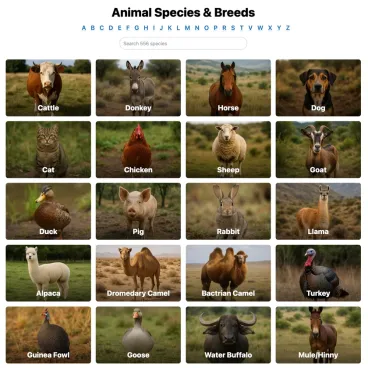
Multi-species and multi-device support is a practical benchmark for modern software. A scalable data model should handle cattle, horses, goats, and chickens across Windows, iOS, and Android, with records accessible online and offline. -
Can it grow without getting bloated?
A small herd today can become a more complex breeding or sales operation later. -
Can I control who sees what?
Family farms, employees, partners, and veterinarians often need different access. -
Can I export my records if I leave?
If the answer is vague, be cautious.
Here’s a short video worth watching while you evaluate what good workflows look like:
Questions about sales support and real workflow
Not every platform handles the business side well. Ask these too:
- Can I attach photos, health records, and breeding history to one animal listing?
- Can buyers or partners view a clean record without needing my whole database?
- Does it support reminders that match how I work, not just generic task lists?
- Can I start simple, then add more detail later?
One modern option in this category is Creatures, which combines animal profiles, health records, breeding history, and marketplace functions in one system. That kind of setup is useful for small and mid-size operations that want records to support both care and sales without moving information between separate tools.
A fast comparison table for your shortlist
| Question | Good sign | Warning sign |
|---|---|---|
| Mobile use | Fast entry from the chute, barn, or truck | Designed mainly for desktop |
| Species support | Handles your real mix of animals | Built around one narrow use case |
| Sharing records | Easy to send one animal’s history | Requires screenshots or manual summaries |
| Learning curve | Family or staff can use it quickly | Needs long training for basic tasks |
| Data control | Clear export and permissions | Unclear ownership or lock-in |
A vendor demo should feel like your farm, not like an enterprise presentation. Ask them to show a vaccine entry, a breeding update, a sale record, and a shared animal profile on a phone. If they can’t do that smoothly, keep looking.
Seamless Implementation and Data Migration
Switching systems feels bigger than it usually is. The mistake is trying to digitize every scrap of farm history in one weekend. Start with the records that matter most now, and build from there.

Start with active animals and active decisions
Gather what you already have. That usually means notebooks, spreadsheets, sale papers, registration documents, vaccine box labels, photos, and whatever’s living in someone’s phone notes. Don’t try to clean all of it first.
Instead, prioritize:
- Current breeding stock: These animals drive the most future decisions.
- Animals under treatment: Their records need accuracy right away.
- Animals likely to sell soon: Buyers benefit from clean, organized histories.
- Youngstock or replacement animals: Early records pay off later.
If you raise multiple species, it often helps to begin with one group that has regular recurring tasks. For some farms that’s the cow herd. For others it may be farrowing records, and in that case pig management workflows can give you a clearer structure for what to track first.
Roll out one workflow before trying to digitize the whole farm
Most successful transitions are phased. Pick one use case and do it well for a month. Calving records work well. So do treatment logs or breeding dates.
A practical rollout often looks like this:
- Build core animal profiles with ID, age, sex, and a photo.
- Add only current essential history such as active treatments and breeding status.
- Use the system daily for one task until entry becomes routine.
- Review weak spots where users skipped entries or doubled work.
- Expand gradually into sales records, reminders, inventory, or public sharing.
Don’t migrate for completeness. Migrate for usefulness.
Train the people who actually touch the animals
Family members and staff don’t need a software seminar. They need five minutes on the exact jobs they’ll perform. Show them how to find an animal, log an event, and correct a mistake. That’s enough to start.
The best implementations also name one person to keep standards consistent. That person decides how names are written, what abbreviations are allowed, and which fields are mandatory. Small rules prevent messy data later.
Once the system becomes part of the daily habit, the benefits show up quickly. Less hunting for records. Cleaner communication with the vet. Better sale prep. Fewer “I thought somebody entered that” moments.
If you’re ready to move beyond notebooks and scattered spreadsheets, Creatures is one platform to consider. It lets farms, breeders, and animal organizations keep permanent animal profiles with health records, pedigrees, photos, breeding history, and sale details in one place, which makes day-to-day management and buyer transparency much easier on small and mid-size operations.