

Got questions? You’re in the right place. Browse by topic below, or visit our Help Center for step-by-step guides and tutorials.
Getting Started
New here? Start with the basics of what Creatures is and how to get going.
What is Creatures?
Creatures is an all-in-one platform for animal owners, breeders, farms, rescues, and organizations. You can build detailed profiles for your animals, track health and care records, manage breeding and finances, build your own website, and buy or sell through a trusted marketplace. See how it works.
Is Creatures free to use?
Yes. Creating an account, adding animals, tracking records, building pedigrees, messaging, and browsing the marketplace are all free. Fees apply only when you buy or sell through the marketplace (a 5% buyer fee and a 5% seller fee). How our fees work.
Do I need to sell animals to use Creatures?
Not at all. Many members use Creatures purely to manage profiles and records, build pedigrees, track finances, or find boarding and transport. The marketplace is one feature among many, and it is entirely optional.
What types of animals does Creatures support?
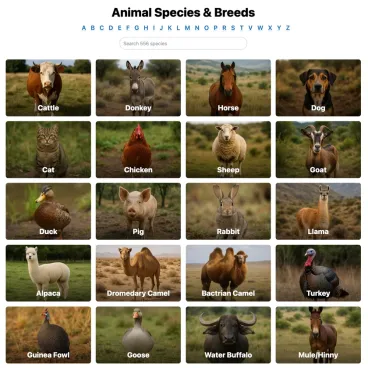
All of them. Dogs, cats, horses, cattle, goats, sheep, poultry, rabbits, reptiles, exotics, and everything in between. The platform adapts to whatever you own or manage.
How is Creatures different from other platforms?
Most tools do one thing: classifieds, a registry, or record-keeping. Creatures brings profiles, records, breeding, finances, services, and a verified marketplace together in one place, with trust and verification built into every step. What makes Creatures different.
Browse all Getting Started guides in the Help Center →
Your Profile & Organization
Set up your personal profile, and an organization if you run a kennel, cattery, farm, rescue, or business.
What goes on my profile?
Your profile is your identity on Creatures: a bio, photos, your animals, listings, reviews, and verification badges. A complete, verified profile builds trust with buyers and the wider community. Setting up your profile.
What is an organization profile, and how do I create one?
Organizations represent a business or program and have their own profile, team, listings, and payout account. You can create one from your dashboard. Create an organization or read Creating an organization and adding your team.
Can I add team members or co-owners?
Yes. Invite team members with role-based permissions, and add co-owners who share access to specific animals or to your organization. Understanding team member permissions.
How do I get listed in the breeder directory?
Complete and verify your profile, then opt into the directory so buyers can find you by species, breed, and location. Getting listed in the breeder directory.
Can I claim an organization that already has a profile?
Yes. If a profile already exists for your organization, you can claim it and take over management. How to claim an organization.
Browse all Profile & Organization guides in the Help Center →
Animal Profiles
Build rich, accurate profiles for every animal you own or manage.
What information can I include on an animal profile?
Photos, identity details, breed and color, pedigree, health and care records, registrations, and more, all organized into tabs. Add an animal or read what each profile tab does.
How do I build a pedigree and link sires and dams?
Add family members directly on the profile, linking to existing animals or creating reference animals for ancestors you do not own. Pedigree, family, and lineage.
Can I keep an animal’s profile private?
Yes. Each animal can be public, private, or a reference animal. Private profiles stay visible only to you and anyone you share access with. Public, private, and reference animals.
What are reference animals?
Reference animals let you document ancestors or animals you do not own so you can build complete pedigrees, then invite the real owner to claim the profile. Reference animals: documenting lineage.
Can I organize animals into groups?
Yes. Group animals manually, with smart rules, or as count groups, so you can manage them and apply records in bulk. Create and manage animal groups.
What happens to a profile when an animal is sold?
Ownership transfers to the buyer, who takes over the profile and its records, while your history with that animal is preserved. What happens after a sale.
Browse all Animals & Records guides in the Help Center →
Records & Care
Track health, care, and history for every animal, and bring your existing data with you.
What records can I track?
Health and medical, vaccinations, medications, examinations, test results, surgeries, routine care, growth, reproduction, registrations, certifications, and pedigree records. The animal records tab.
Can I attach documents and photos to records?
Yes. Attach files, photos, and notes to any record so vet papers, certificates, and results stay with the animal. Adding a record.
What are care plans and reminders?
Care plans schedule recurring care, like vaccinations or hoof trims, and send reminders so nothing slips. You can apply a plan to one animal or a whole group. Care plans and reminders and upcoming care.
Can I import my existing records or pedigrees?
Yes. Import your animals, records, and pedigrees in bulk, including from Rabbit15, Cavy15, Goat15, and Poultry15, then review and confirm everything before it goes live. You can also add a single animal by importing just its pedigree: Creatures reads the chart and drafts that animal plus its ancestors. Import your animals and add an animal by importing its pedigree.
What happens to records when an animal is sold?
Care and health history transfers with the animal to the new owner, giving buyers a complete, trustworthy record. Receiving your animal.
Browse all Animals & Records guides in the Help Center →
Breeding & Genetics
Plan and record breedings, track pregnancies and litters, and manage genetic material.
How do I record a breeding and track a pregnancy?
Record a breeding between two animals, then track the pregnancy and its milestones from the breeding dashboard. Recording a breeding and tracking pregnancy and progress.
What is the breeding dashboard?
A central view of your active breedings, expected and recorded litters, and reproductive timelines. The breeding dashboard.
How do I record births and create a litter?
Record a birth to create a litter, then add each offspring as its own profile linked to the parents. Recording births and creating a litter.
Can I buy and sell genetic material?
Yes. The Genetics marketplace lets you buy and sell frozen semen, embryos, and other material, with shipping and tracking built in. Browse the Genetics marketplace or read listing genetics.
What is genetic storage?
A subscription that tracks your stored genetic inventory, including material types, statuses, and locations, so you always know what you have on hand. Your genetics inventory or read subscribing to genetic storage.
Browse all Breeding & Genetics guides in the Help Center →
Tools & Calculators
Free calculators, visualizers, and generators, no account required.
What tools does Creatures offer?
Coat color calculators and visualizers, gestation calculators, a weight calculator, and animal and organization name generators. Open the Tools page or read about the Tools page.
How do the coat color calculator and visualizer work?
Enter the genetics of both parents to predict the colors their offspring could be, and see those colors visualized. Try the coat color calculators.
How does the gestation calculator work?
Enter the breeding date and species to estimate the due date and key pregnancy milestones. Try the gestation calculators.
Do I need an account to use the tools?
No. The tools are free and open to everyone. Sign in if you want to save results or apply them to your animals.
Browse all Tools & Calculators guides in the Help Center →
Buying
Find animals, buy with confidence, and know your money is protected.
How do I find animals for sale?
Search the marketplace by species, breed, location, and distance, save searches, and use your watchlist to track listings. Browse the marketplace or read finding animals.
How do I buy an animal?
Buy at a fixed price, make an offer, or bid in an auction. At checkout you pay the price plus a 5% buyer fee. Buying at a fixed price and making an offer.
Can I buy several animals at once?
Yes. Add animals or genetic listings to your cart, even from more than one seller, and pay for everything in one secure checkout. Any Creatures Credit, Wallet balance, and seller volume discounts are applied automatically. Using your cart.
How am I protected as a buyer?
Your payment is held by Creatures and released to the seller only after you confirm the animal arrived as described. If it arrives sick or is clearly not as described, report a problem before confirming and your funds stay held while it is reviewed. How buying works and the health guarantee.
What if there is a problem when my animal arrives?
When the animal reaches you, confirm the handoff, in person with a pickup code or online. If something is wrong, choose Report an issue instead of confirming: that opens a dispute and keeps the seller’s payout on hold while Creatures reviews it. If the seller marks the handoff done first, you still have a short objection window to raise a problem before the funds release. Reporting a problem with your purchase.
What payment methods can I use?
Credit or debit card, ACH bank transfer, your Creatures Wallet, and Creatures Credit. Credit and Wallet apply first, then your card or bank covers any remainder. Paying with Wallet, Credit, and ACH.
Can I reserve an animal or ask questions first?
Yes. Message the seller, submit a buyer application, and reserve with a deposit where breeders offer it. Reserving from a breeder.
Can I keep my purchase private?
Yes. You can keep a purchase from appearing publicly on your profile or in your activity. Keeping your purchase private.
Browse all Buying guides in the Help Center →
Selling
List animals, run auctions or sale events, and get paid securely.
How do I list an animal for sale?
Create a listing at a fixed price or as an auction, add photos and details, and publish once your payout account is connected. What you need to start selling.
Can I run an auction or a sale event?
Yes. List as an auction with an optional reserve, or create and join sale events. Auctions include sniping protection, where last-minute bids extend the timer, plus anonymized bidders and a transparent activity feed. Listing for auction and what sale events are.
What fees do sellers pay?
A 5% seller fee per sale, plus a $19.95 fee to record a sale that happened off Creatures (your first off-platform transfer is free). Creatures Pro waives all of these. Seller fees and Creatures Pro.
How and when do I get paid?
When the buyer confirms delivery, your proceeds land in your Creatures Wallet (minus the 5% fee), and you withdraw to your connected bank account. How seller payout works.
Can I offer a discount for buying several animals?
Yes. Set up a volume discount and buyers who take several of your animals together get an automatic package price, shown right on your listings. It is seller-funded, so the savings come out of your proceeds. Volume discounts.
Can I invoice a buyer directly?
Yes. Create a private invoice for one or more animals, send it to the buyer, and collect payment by bank transfer, card, or Creatures Wallet. The buyer does not need an account to pay, and an animal sale transfers ownership automatically once the invoice is paid. Send and get paid on a private invoice.
Can I screen buyers before a sale?
Yes. Require a buyer application with your own questions, then review and approve buyers before you sell. Requiring buyer applications.
Can I stay in touch with buyers after a sale?
Yes. Use your buyer pipeline, automated follow-up emails, and post-purchase questionnaires to keep relationships strong. Your buyer pipeline.
Browse all Selling guides in the Help Center →
Boarding, Transport & Booking
Find or offer boarding, transport, and bookable services like tours, classes, and appointments.
How do I find boarding for my animals?
Search boarding providers, apply, and manage your stay from your dashboard. Find boarding or read boarding with a provider.
How do I offer boarding or a bookable service?
List a boarding service, or create bookable offerings like tours, classes, and appointments, then manage your schedule, check-ins, and applications. Listing a boarding service and creating a bookable offering.
Can I put booking on my own website?
Yes. From your booking dashboard, copy a link, a Book now button, or an inline booking widget and paste it into Squarespace, Wix, WordPress, or any site. Guests book and pay right on your own page while Creatures handles the schedule and payment behind the scenes. Sharing and embedding your bookable offering.
How do I arrange transport for an animal?
Request transport and receive bids from transporters, or use seller delivery when a listing offers it. Requesting transport.
Can I offer transport services?
Yes. Become a transporter, bid on requests, and manage jobs from your transporter dashboard. Applying requires a profile with photos and a description. Becoming a transporter.
What fees apply to services?
It depends on the service. Boarding has a 5% fee on each side, and the provider’s 5% is waived with Creatures Pro. Bookable offerings like tours and classes carry no platform commission for the provider: a provider without Pro has a small booking fee added for guests, while a Pro provider can offer an all-in price with no separate guest fee. For transport, the buyer pays a service fee, and the transporter’s seller-side fee is waived with Creatures Pro.
Browse all Services guides in the Help Center →
Agreements & Signatures
Send, sign, and require contracts right inside Creatures.
What are agreements?
Built-in contracts, such as health guarantees, sale agreements, and terms, that you can send for legally binding e-signature without leaving Creatures. What agreements are and how signing works.
How do I send an agreement for signature?
Pick a template or create one, then send it to the other party to review and sign. Sending an agreement for signature.
Can I require an agreement before a booking or sale?
Yes. You can require a signed agreement before a booking is confirmed. Requiring an agreement before a booking.
Can I save reusable templates?
Yes. Create and manage agreement templates so your standard contracts are ready to send anytime. Creating and managing agreement templates.
Browse all Agreements guides in the Help Center →
Stewardship
Share the care and ownership of an animal across people, whether nearby or far away.
What is stewardship?
Stewardship lets you place an animal in someone else’s care while keeping a defined relationship, such as ownership, breeding rights, or shared care. Animals can live with a steward while you stay connected to them. What is stewardship?
How do I offer stewardship of my animal?
Set the terms and invite a steward. They care for the animal day to day while you follow along. Offering stewardship.
How do I become a steward?
Accept a stewardship offer to care for someone else’s animal under agreed terms. Becoming a steward.
What are Stewardship Circles?
Circles organize stewards and owners around shared animals or programs, so a group can coordinate care together. Stewardship Circles.
How do I stay updated on an animal I steward or follow?
Follow your stewardship to see records, updates, and progress over time. Following your stewardship.
Browse all Stewardship guides in the Help Center →
Finance & Accounting
Track the money side of your animals: costs, income, value, and return.
What is the finance dashboard?
A live view of your animals’ estimated value, income, expenses, and profit, with detail down to each animal. Open your finance dashboard or read understanding your finance dashboard.
What is cost basis, and why does it matter?
An animal’s cost basis is its starting value, such as the purchase price or initial cost, that profit and return are measured against. Cost basis and starting values.
How do I record income and expenses?
Log money in and out against an animal or your whole operation, so your books stay current. Recording money in and out.
Can I see profit and ROI per animal?
Yes. Each animal shows its finances and return on investment. An animal’s finances and ROI.
What is a Crestimate?
A Crestimate is Creatures’ estimate of an animal’s market value, useful for pricing a listing or valuing your herd. What is a Crestimate? and using it for pricing.
Can my accountant use it?
Yes. The accountant view and reports, including a management balance sheet, are built for tax and bookkeeping. The accountant view and reports.
Browse all Finance & Accounting guides in the Help Center →
Payments, Wallet & Earnings
Your Wallet, payouts, credit, gift cards, rewards, and Creatures Pro.
What is the Creatures Wallet?
Your Wallet holds real money from sales, services, and rewards, and you can withdraw it to a connected bank account. Your Creatures Wallet.
How do I withdraw money to my bank?
Connect a bank account through Stripe, then withdraw from your Wallet. Your first sale ever carries a one-time 7-day hold. Withdrawing to your bank.
What is Creatures Credit?
A prepaid balance that spends like money at checkout but cannot be withdrawn and never expires. You earn it through referrals, gift cards, and refunds. Creatures Credit.
How do gift cards work?
Buy a gift card and the recipient redeems the full amount into their Creatures Credit. Gift cards.
Can I earn by referring others?
Yes. Share a listing and earn 1% of the sale as withdrawable cash, and the buyer gets 1% back as Credit. Referrals and promoter rewards.
What is Creatures Pro?
A subscription, $49.95 per month or $499 per year, that waives the 5% seller fee, the 5% service-provider fee, and the $19.95 off-platform transfer fee. You can cancel anytime. Creatures Pro pricing and benefits.
What about promo codes and sale incentives?
Buyers can enter promo codes at checkout, and sellers can set sale incentives that reward promoters for driving a sale. Promo codes and sale incentives.
Browse all Payments & Earnings guides in the Help Center →
Trust, Verification & Reviews
How Creatures keeps the marketplace safe and accountable.
Why does Creatures focus so much on trust?
Buying and selling animals online has long meant fake listings and no accountability. Creatures builds identity verification, held payments, and real reviews into every transaction so you can deal with confidence. Understanding verification.
What are the verification levels?
Phone verification unlocks bidding, offers, and buying. A saved payment method is needed to check out and to bid. Identity verification, using a government ID through Stripe, is required to sell publicly, take payments, and withdraw funds. A connected payout account is required to publish listings and get paid. Verifying your identity.
How do reviews work?
Reviews are tied to completed transactions, so they cannot be faked. Buyers and sellers rate each other after a sale. How reviews and ratings work.
What protects me if something goes wrong in a sale?
Your payment is held until the buyer confirms the animal arrived as described, and any reported problem is reviewed before funds are released. How buying works: payments, held funds, and protection.
Browse all Trust & Verification guides in the Help Center →
Website & Community
Build your public presence and connect with the Creatures community.
Can I build my own website on Creatures?
Yes. Every member gets a customizable Creatures website, your own storefront, with pages, photos, and an AI restyle, showing the animals and listings you choose. Custom domains are coming soon with Creatures Pro. Your Creatures website.
How does the community feed work?
Post updates and photos, add reactions, repost, and comment. Follow breeders and organizations to see their updates in your feed. The community feed.
Can I message other members?
Yes. Message buyers, sellers, and other members directly, with reactions and search in your inbox. Messaging other members.
Can I block or report someone?
Yes. You can block a member and report a message or post right from the conversation or post. Reporting and what shows in your feed.
Can I create a memorial for an animal?
Yes. Create a memorial to honor an animal that has passed, with tributes you and others can share. Creating a memorial.
Browse all Website & Community guides in the Help Center →
Account & Support
Manage your account and get help whenever you need it.
How do I create an account?
Sign up with your email at creatures.com/signin and start adding animals right away. Creating your account and signing in.
Is there a mobile app?
Creatures works in any browser and installs on your phone’s home screen like an app, so you get an app-like experience without an app store. Getting Creatures on your phone.
How do I manage notifications and settings?
Adjust your email and in-app notifications and other account preferences in your settings. Notification and account settings.
How do I reset my password?
Creatures is passwordless, so there is nothing to reset. Enter your phone number for a one-time code, or your email for a one-time code or sign-in link. You can also use Google, Facebook, or X. Creating your account and signing in.
How do I contact support?
Email support@creatures.com, use the chat button in the lower right, or call or text (434) 218-2178. We typically respond within 24 hours.
Can I delete my account?
Yes. Contact support to request deletion. We remove your personal data in line with our privacy policy, though some transaction records are retained for legal and financial compliance.
Browse all Getting Started guides in the Help Center →
Still have questions?
Browse our Help Center for step-by-step guides, or reach out and we will help.
Chat: use the chat button in the lower right corner.
Phone or text: (434) 218-2178 · Email: support@creatures.com