Use Creatures in Claude and ChatGPT
Creatures has a connector for AI assistants. Add it to Claude or ChatGPT and ask about animals for sale, breeders and livestock services in plain words. Answers come from public Creatures pages and link back to them. Searching needs no Creatures account. Connect yours and the assistant can also find your animals, read their records, show the care that's due, add care records and mark tasks done.
Connect in Claude
If Creatures is listed in Claude's connector directory, add it from there. To add it yourself:
open Customize, then Connectors, then Add, then Add custom connector. Name it Creatures and enter
https://creatures.com/mcp/v2. Claude marks No sign-in as Detected: choose Sign in when needed instead, with Use
Claude's published identity as the OAuth client, and select Add. In a new chat, turn Creatures on from the + menu under
Connectors.
Connect in ChatGPT
If Creatures is listed in ChatGPT's app directory, add it from there. To add it yourself: open
Plugins, select +, then Add custom MCP server. Name it Creatures, enter https://creatures.com/mcp/v2 and choose
OAuth or no authentication. For the OAuth client, choose CIMD (Client ID Metadata Document), not DCR. Then create it as a
plugin and install it. In a new chat, mention @Creatures.
Connect your Creatures account
Searches work without signing in. When you ask about your own account, animals or care, the assistant asks you to connect it: in Claude, select Connect; in ChatGPT, follow its sign-in prompt. Sign in to Creatures if asked. Creatures lists what the assistant will be able to do (see your name and username, see your animals, records and care tasks, add care records and mark tasks done) and the account you're connecting as. Choose Allow. To end the connection, open Settings, choose Account, and under Connected apps select Disconnect this app, then Disconnect.
What it can do
Search Creatures
- Search Creatures (
search): anything on Creatures, from listings to breeders, species, articles and fees. - Fetch a Creatures record (
fetch): the details of one result, or of a creatures.com link you paste. - Search animal listings (
search_listings): animals for sale by species, breed, sex, sale type, price, state or a city you name. - Find breeders and services (
find_breeders_and_services): breeders, livestock transporters, boarding, hoof care, shearing, reproduction and processing.
With your account connected
- My Creatures account (
get_my_account): your Creatures name and username. - My animals (
find_my_animals): your animals, by name. - Animal record (
get_animal_record): one animal's record history. - Due care (
get_due_care): the care tasks that are due, including tasks shared with you. - Log care (
log_care_records): add feedings, weights, vaccinations, medications, sheds and other care records. - Complete care (
complete_care_tasks): mark a care task done. Tasks that need more than a tap come back as a link to finish on Creatures.
In Claude and ChatGPT, due care can show as a Today's care card: select Done to mark a task done, or Open to finish one on Creatures.
Try these
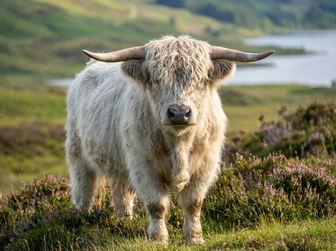
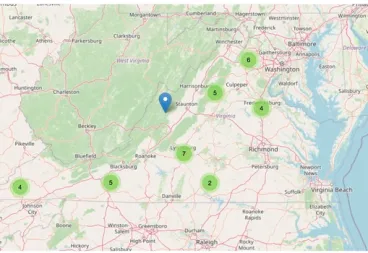
"Find Highland cattle for sale in Virginia on Creatures."
Tool: search_listings with species cattle, breed Highland, state Virginia.
You get: up to five Highland cattle listings in Virginia with price, place, sex and age, each with its creatures.com link, and a note when there are more.
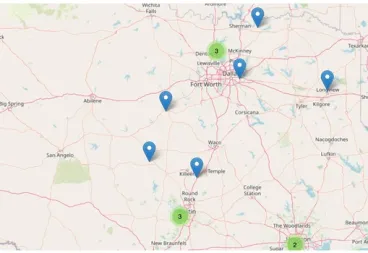
"Find Nigerian Dwarf goat breeders in Texas."
Tool: find_breeders_and_services with type breeder, species goat, breed Nigerian Dwarf, state Texas.
You get: Texas breeders of Nigerian Dwarf goats with their town and a link to each breeder page.
"Who can haul cattle in Tennessee? Use Creatures."
Tool: find_breeders_and_services with type transport, species cattle, state Tennessee.
You get: livestock transporters who serve Tennessee and haul cattle, Creatures-reviewed transporters first, each with a link.
"What care is due today?"
Tool: get_due_care.
You get: the care tasks due today, including tasks shared with you. In Claude and ChatGPT they can show as a Today's care card with a Done button.
"Log today's weight for Nova: 412 grams."
Tool: log_care_records with a weight record.
You get: the weight saved to Nova's records on Creatures.
Your data
The connector reads public Creatures information. Once you connect your account, it also reads your name, username, animals, records and due care, and it can add care records and mark care tasks done. Records it adds are private. Beyond care records and tasks it cannot change anything on Creatures: it cannot buy, bid or send messages. Structured responses exclude account email addresses, phone numbers, street addresses, postal codes and map coordinates. Public titles, descriptions and other text are shown as written and may include contact details their authors chose to make public. The connector leaves out every link except the Creatures page link. A place you name in a question is used to run that search. We keep daily counts of how the connector is used, without IP addresses or the text of searches; see our Privacy Policy and Terms. Your assistant's provider handles your conversation under its own terms.
Limits
Each answer is short and links to the full page. When many people ask at once, the assistant may say "Rate limited; retry in N seconds". Try again a little later.
Troubleshooting
If the connector will not connect, check that the address is exactly https://creatures.com/mcp/v2, with
no trailing slash and without www. If the assistant never asks to connect your account, the connector was added
without sign-in. Remove it and add it again with the steps above. If it cannot see your animals, disconnect it under
Connected apps, then ask again and choose Allow. If an answer looks out of date, open the linked page: it always shows
the current listing.
For developers
The same public data is available through the Creatures API: see creatures.com/developers and the OpenAPI document at creatures.com/api/v1/openapi.json.
Help
Questions or problems: info@creatures.com.